Your Data Is More Precious Than You Think
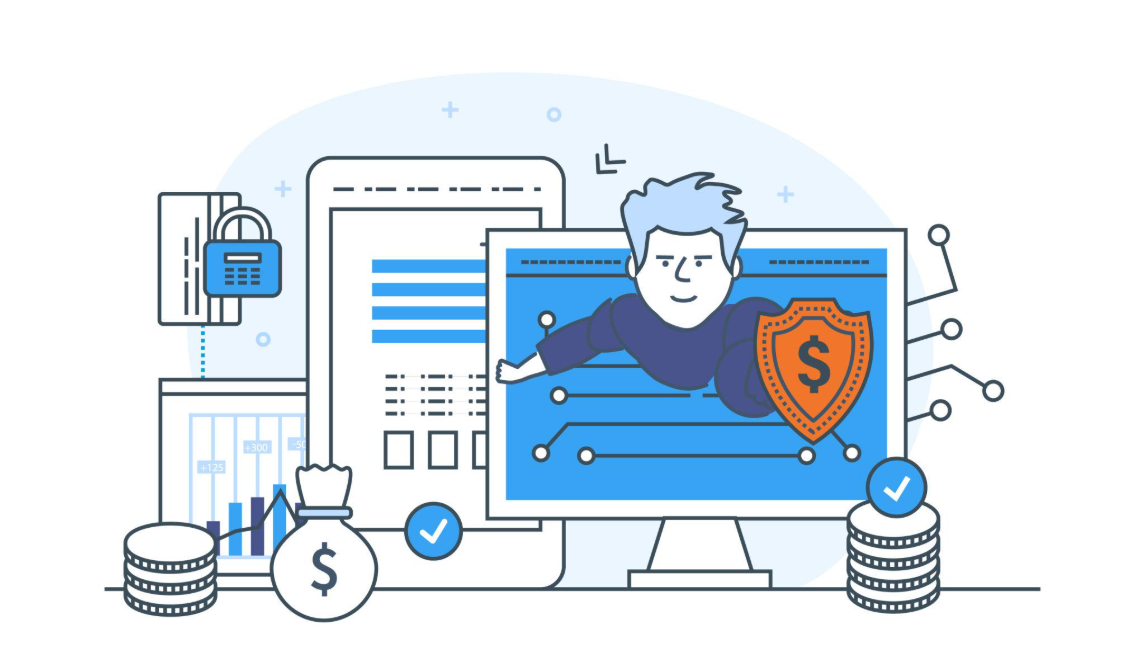
Everyone knows that today people are constantly uploading pictures, saving documents, writing notes and sharing other personal information with dozens of different web services and applications. And everyone also trusts all of this personal information with those online platforms. However, rarely do users ask themselves a very simple but crucial question – who can really see everything that they upload to different sites.
For example, when users save their files in some website that doesn't offer extra security measures, the company itself has the necessary opportunities to open and see their documents. Moreover, even when data is somehow encrypted, many platforms keep the encryption keys. It means that users are giving one spare key to the company where they keep all of their files in a locker. Even if the companies promise never to use those keys, they always can open the locked data in case it will be needed by authorities. In addition, in case if there will be any unauthorized access or if the company gets hacked, people's files will be stolen.
Some modern web applications use the new principle called zero-knowledge encryption. Only you hold the key needed to unlock them. The company stores only scrambled data and cannot read your files, even if it wants to. This is like placing your belongings in a safe and keeping the only key in your pocket.
Websites also collect more than just the files you upload. They often store metadata such as your email address, IP address, login times, device type, and usage patterns. This information can reveal a surprising amount about your habits and behavior. Even if the content itself is protected, metadata remains extremely valuable.
As users, we should be more careful about where we store our digital lives. Before signing up for any service, ask simple questions: Is my data encrypted? Who controls the encryption keys? Can the company read my files? Understanding these basics helps you choose platforms that truly respect your privacy. In the digital world, protecting your data is just as important as locking the front door of your home.
How Cookies Work
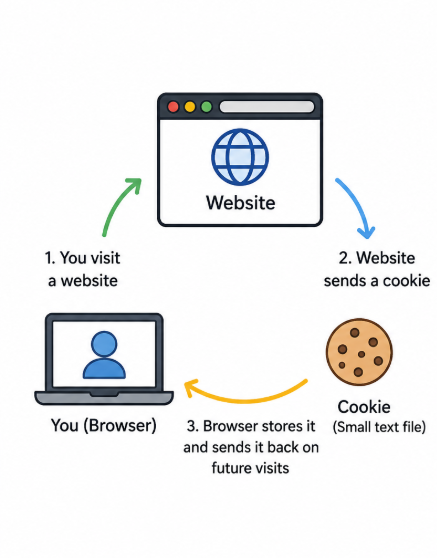
When you go to a website for the time the website sends a small file to your browser. This file is called a cookie. The cookie has some information in it like if you're logged in or what language you like to use. Your browser saves this file on your device so it can remember things for you.
The time you go to the same website your browser sends the cookie back to the website. This way the website knows who you are away. You do not have to log in or set your preferences again. The website just reads the cookie. Remembers what you like. For example if you put something in your shopping cart yesterday the cookie helps the website show you the cart today when you come back.
A Example
Imagine you go to a coffee shop for the first time. You tell the person making your coffee that you always want a cappuccino with no sugar. They write this down on a piece of paper. Keep it under your name.
The time you go to the coffee shop they look at the paper and they already know what you like to drink. A cookie is like that piece of paper. It helps the website remember things about you.
What Do Cookies Store
Cookies usually store things like:
Your login information
What language you like to use
If you like the website to be light or dark
What is in your shopping cart
What pages you looked at recently
Some information about how you use the website
Cookies do not store your password. They might store a special code that says you are logged in.
Types of Cookies
1. Cookies That Are Necessary
These cookies are important for the website to work right. If you do not have them you might not be able to log in or put things in your cart.
2. Cookies That Remember Your Preferences
These cookies remember things like what language you like and what part of the world you are in.
3. Cookies That Help With Analytics
These cookies help the people who own the website know how you use it. They can see what pages are the popular.
4. Cookies That Are For Advertising
These cookies watch what you do on the website. Show you ads that are just for you.
How To Control Cookies
You can change your browser settings to control cookies. You can:
Look at all the cookies that are stored
Delete some or all of the cookies
Block cookies from companies
Make your browser delete cookies when you close it
If you delete cookies you might have to log in to websites again and they might not remember what you like.
Cookies are a thing that makes the internet better. They help websites know who you are and what you like.. They can also be used to watch what you do on the internet. If you know how cookies work you can make choices about your privacy. Cookies are a part of the internet and cookies help make your experience, on websites better.